What a Certified Salesforce Administrator Actually Does During a Migration (And Why It Matters
- Ohana Focus Team

- Mar 20
- 9 min read

When an organization decides to migrate to Salesforce—whether from Raiser’s Edge, Redtail, Applied Epic, or a patchwork of spreadsheets—the conversation quickly turns to timelines and costs. The most obvious question is often the most overlooked: Who will do the work?
For nonprofits, wealth management firms, and insurance agencies alike, the answer matters more than most decision-makers realize. A Certified Salesforce Administrator isn’t just someone who “knows the software.” They’re the person responsible for translating your organization’s specific processes, data structures, and compliance requirements into a system that actually works for the people using it every day. Get that right, and a migration becomes a genuine upgrade. Get it wrong, and you’ve spent significant time and money to create new problems.
Let's take a look at the responsibilities of a Certified Salesforce Administrator during a migration—in plain language, with real examples.
“Certified” is More Than a Title
Salesforce offers a range of certifications, and not all of them are equivalent. The Salesforce Certified Administrator credential—the foundation-level cert most people mean when they say “Salesforce Admin”—requires passing a rigorous exam covering data management, security, automation, reporting, and platform configuration. It’s updated regularly as Salesforce releases new features, and administrators must maintain it through ongoing education.
Beyond the base credential, experienced administrators often hold advanced certifications, such as Advanced Administrator, Platform App Builder, or industry-specific credentials for Nonprofit Cloud (NPC) or Financial Services Cloud. For organizations in wealth management or insurance, those vertical-specific certifications signal that an administrator has been tested on the regulatory and workflow realities of your industry—not just general CRM concepts.
The distinction matters because migration projects aren't well-executed when they’re handed to someone who is “good with technology” but lacks systematic Salesforce training. The platform is deep. Knowing where to find the right settings, how to avoid configuration choices that create problems two years later, and which automation approach fits which use case requires genuine expertise—not just familiarity.
Phase One: Discovery and Data Assessment

Before a single record moves, a Certified Salesforce Administrator does something that looks deceptively simple: they listen. Discovery is the phase in which an administrator interviews stakeholders across your organization—development staff, advisors, account managers, program coordinators, executives—to understand how work actually gets done. Not how the org chart says it works. How it actually works. What data do people use daily? What reports do they rely on? Where are the manual workarounds? Where does information fall through the cracks?
For a nonprofit, this might mean understanding how major gift officers track cultivation touchpoints versus how program staff log service delivery. For a wealth management firm, it means mapping how advisors track household relationships, account aggregation, and compliance activity. For an insurance agency, it’s understanding how producers manage policy renewals, referral pipelines, and carrier relationships.
Discovery also involves a data audit. An administrator will examine your existing data—wherever it lives—and assess its quality, structure, and volume. This is where hard conversations sometimes happen. During migration preparation, organizations often discover duplicate records, inconsistent field naming, outdated contact information, or years of accumulated data no one has reviewed since it was entered.
A Real-World Discovery Scenario
During a data audit, an insurance agency with 12 producers migrating from a legacy AMS discovers that the same commercial client appears under six different spellings across the system. Multiple producers have been logging activity against different records for the same account. An administrator catches this before migration—not after—and the data gets deduplicated before it becomes a Salesforce problem.
Phase Two: System Design and Configuration

This is where the technical work becomes visible—and where certified expertise separates good migrations from difficult ones. Based on discovery findings, a Certified Salesforce Administrator designs the system architecture: which objects to use, which custom fields to create, how records will relate to one another, and what the data model will look like when fully built. These decisions have long consequences. A field created with the wrong data type today can require significant rework in two years. A relationship modeled incorrectly can make reporting nearly impossible.
What Configuration Actually Involves
For a nonprofit migrating from Raiser’s Edge to Salesforce NPC, configuration includes building the household account model, mapping giving history, configuring soft credit relationships, setting up campaign tracking, and ensuring constituent records carry over with their full interaction histories intact.
For a wealth management firm moving to Financial Services Cloud, it means establishing the client-household-account hierarchy, configuring relationship maps that reflect real family structures, building advisor assignment logic, and ensuring that the compliance activity log meets both internal policy and regulatory audit requirements.
For an insurance agency, configuration means building out the policy object structure, creating producer-to-account assignment rules, configuring renewal tracking workflows, and ensuring carrier and coverage data are structured to support pipeline reporting without requiring manual exports.
In each case, an administrator is also configuring security: who can see what, who can edit what, and what data is visible to which roles. For organizations handling sensitive financial or health information, this isn’t just a preference—it’s a compliance necessity. Getting it right from the start is far easier than retrofitting it later.
Phase Three: Data Migration—The Hardest Part No One Talks About

Ask experienced Salesforce administrators what part of a migration keeps them up at night, and most will say the same thing: data migration.
Moving data from one system to another is not copying and pasting. It’s a process of mapping, transformation, cleaning, loading, validating, and correcting—often multiple times. An administrator uses tools like Salesforce Data Loader, Data Import Wizard, or third-party ETL tools to move data in the correct sequence (parent records must exist before child records can reference them), in the correct format (dates, currencies, picklist values all have specific requirements), and with the correct relationships intact.
A certified administrator also runs validation checks after each load to confirm that record counts match, relationships are resolved correctly, and no data was silently dropped or corrupted. This isn’t optional—it’s the difference between a migration that actually worked and one that merely appeared to.
What Can Go Wrong Without Certified Oversight:
The Problem | The Consequence |
Duplicate records not caught before import | Duplicate contacts and companies flood your new system, requiring hours of manual cleanup |
Giving history loaded without household relationships | Donors appear as individuals with split histories—major gift reporting becomes unreliable |
Picklist values not standardized before migration | Filters and reports produce incomplete results because the same value appears 12 different ways |
Advisor-to-client assignments not mapped correctly | Producers log in and can’t see their own book of business—immediate productivity loss |
Compliance notes migrated without timestamps | Audit trail appears incomplete even though the underlying activity was logged |
Phase Four: Automation, Workflows, and the “Work Smarter” Moment

One of the reasons organizations move to Salesforce is the promise of automation—reducing manual steps, catching items that fall through the cracks, and automating routine processes without requiring anyone to remember to do them.
A Certified Salesforce Administrator builds these automations through Salesforce’s native tools: Flow Builder (the current standard), Process Builder (legacy, but still common in existing orgs), and Apex triggers for complex logic that requires code. Understanding which tool to use and how to build automations that future administrators can maintain is itself a learned skill. In practice, this looks different for each organization type:
Nonprofits: Automatic acknowledgment letter queues when a gift is entered above a threshold; task creation for major gift officers when a prospect’s giving crosses a cultivation trigger point; campaign member status updates based on event check-in data.
Wealth management firms: Automated review reminders tied to account anniversary dates; alerts when a household’s total AUM crosses a service tier threshold; compliance task generation when a new account is opened.
Insurance agencies: Renewal pipeline automation that creates producer tasks 90, 60, and 30 days before policy expiration; referral tracking workflows; new business submission checklists tied to opportunity stages.
When these automations work well, staff experience them as magic. When they’re built incorrectly—with logic errors, infinite loops, or triggers that fire at the wrong time—they become a source of noise and frustration. An administrator who knows what they’re doing builds automations that teams barely notice because they work.
Phase Five: Reporting Setup and Training

Data has value only if people can find and use it. A Certified Salesforce Administrator doesn’t just configure a system and hand over the keys—they build the reporting infrastructure that makes data accessible and train the team to use it confidently.
A nonprofit executive director might rely on a live dashboard that tracks fundraising progress toward the annual goal—broken down by campaign, compared year over year, and accessible on any device without requiring a report.
Within a wealth management firm, advisors could use a centralized dashboard that brings together portfolio values by client tier, upcoming reviews, recent activity, and open service requests—all in a single, real-time view.
Meanwhile, an insurance agency might benefit from a producer leaderboard that highlights new business written, retention rates, and pipeline value by carrier—insights that once took a full day of manual compilation, are now available instantly.
Training is where many migrations stumble. Systems get built beautifully and then underused because staff don’t feel confident navigating them. A skilled administrator builds training around real workflows—your actual processes and data—rather than generic platform overviews. The goal is for staff to leave training feeling capable, not overwhelmed.
The Honest Tradeoffs: In-House vs. Partner vs. DIY

Decision-makers frequently face a build vs. buy question when it comes to Salesforce administration. Here’s an honest look at the options:
Hiring a Full-Time Salesforce Administrator
This makes sense for larger organizations with complex, ongoing Salesforce needs. The upside is deep institutional knowledge and dedicated capacity. The downside is cost (certified administrators command competitive salaries) and the reality that one person rarely covers the breadth of a complex migration alone. Many organizations that hire an in-house admin still engage a consulting partner for the initial migration, then transition ongoing management internally.
Working with a Certified Consulting Partner
Consulting partners bring teams with various specializations—data migration specialists, configuration experts, trainers—under a single engagement. For organizations without existing Salesforce capacity, a partner typically produces faster, cleaner migrations with fewer post-launch surprises. The tradeoff is ongoing dependency: if institutional knowledge lives with the partner, organizations may find themselves reliant on external support for changes they’d prefer to make internally.
The best partner relationships deliberately build internal capacity over time by transferring knowledge instead of hoarding it.
The DIY Approach
Some organizations attempt migrations using internal staff who are enthusiastic and capable but not certified. This works occasionally—particularly for small organizations with simple data and limited automation needs. More often, it produces a Salesforce instance that technically functions but has structural problems that surface gradually: reports that won’t run correctly, automations that behave unpredictably, and data that is harder to use than the system it replaced.
The hidden cost of a DIY migration is often the 're-migration'—bringing in certified expertise to fix what was built incorrectly. That work is consistently more expensive than getting it right the first time.
Questions to Ask Before Hiring a Salesforce Administrator or Partner
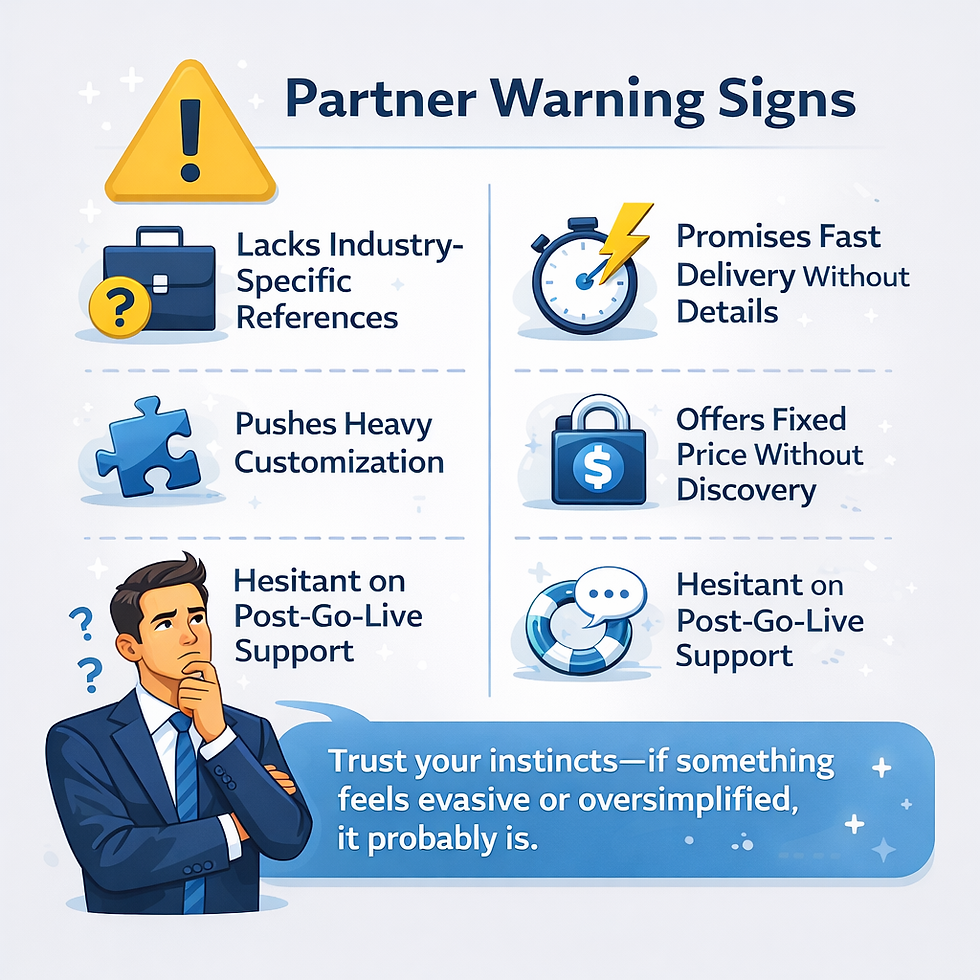
Which Salesforce certifications do you hold, and are they current? (Salesforce requires ongoing maintenance—an outdated credential is a flag.)
Have you migrated organizations similar to ours in size and industry? Can we speak with one of them?
What does your data validation process look like after migration? How do you confirm nothing was lost or corrupted?
How do you handle changes in scope during the project? What happens if we discover new requirements after configuration has started?
What does training look like, and how do you measure whether staff actually feel confident after go-live?
After the migration, what ongoing support is available, and at what cost?
What a Migration Actually Looks Like on a Timeline
Decision-makers often underestimate migration timelines—and then feel frustrated when reality exceeds expectations. Here is a realistic view of what different migration scopes typically involve:
Small nonprofit, basic NPC setup, clean data | 6–8 weeks |
Mid-size nonprofit with complex gift history and campaigns | 10–16 weeks |
Wealth management firm with household data and compliance tracking | 12–20 weeks |
Insurance agency with policy objects, producer assignments, carrier data, etc. | 14–24 weeks |
Any organization with severely inconsistent legacy data | Add 4–8 weeks for data remediation |
These timelines assume an engaged client team. Migrations slow down when stakeholders are unavailable for decision-making, when data cleanup takes longer than anticipated, or when requirements change significantly mid-project. None of that is unusual, but it is manageable when expectations are set correctly from the start.
Next Steps

If your organization is evaluating a Salesforce migration—or if you’ve already started and things feel less organized than you’d hoped—here are three concrete steps to take right now:
Audit your current data before talking to anyone else. The cleaner your existing data, the faster and cheaper your migration will be. Even a rough pass to identify obvious duplicates and field inconsistencies will save time later.
Document your actual workflows, not your ideal workflows. Migrations that are designed around how an organization wishes it worked tend to require painful post-launch adjustments. An honest map of current processes is more valuable than an aspirational one.
Talk to a certified administrator before finalizing your budget. Many organizations significantly underfund migrations because they don’t know what they don’t know. A scoping conversation with an experienced administrator surfaces requirements and costs before you’re committed.
Partner with Ohana Focus

Get certified expertise for every phase of your migration.
Ohana Focus is a certified Salesforce consulting partner with deep experience in nonprofit, financial services, and insurance environments. We don’t just migrate your data—we design systems that actually reflect how your organization works, build automations that your team will use, and train staff to feel genuinely confident in Salesforce from day one.
We bring:
Certified administrators with industry-specific experience
Structured discovery and data audit processes
Proven data migration and validation methodology
Automation design that builds lasting organizational capacity
Role-based training tailored to your team’s actual workflows
About Ohana Focus
Ohana Focus is a certified Salesforce consulting partner dedicated to helping nonprofits, wealth management firms, and insurance agencies harness the full power of the Salesforce platform. We believe that a great migration isn’t just a technical project—it’s a strategic investment in how your organization makes decisions, serves clients, and grows. Our team of certified administrators and consultants brings both technical depth and practical industry knowledge to every engagement.


Comments